
We've been focused on making your assistant more capable and more proactive, so it can do more for you before you even ask. Here’s what we’ve shipped recently.
What’s new
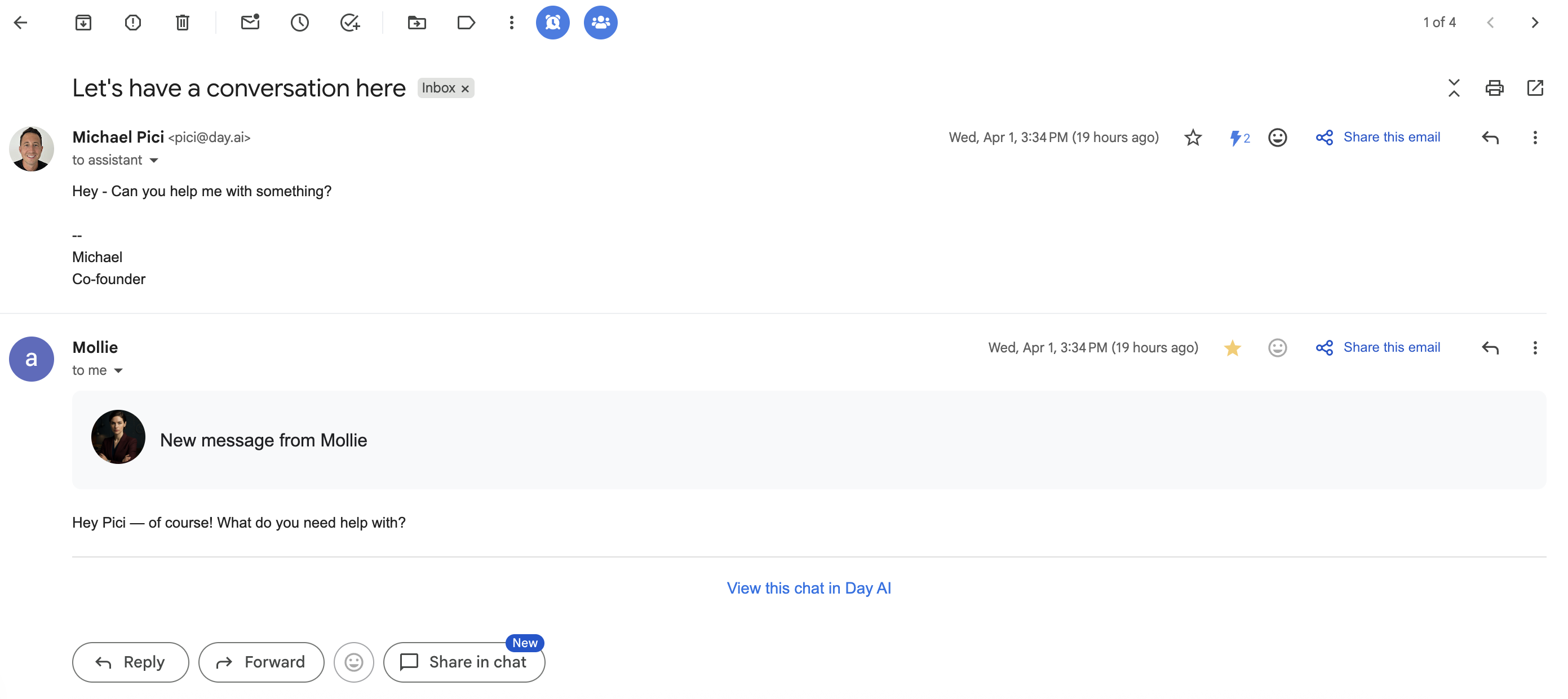
Talk to your assistant directly from your inbox. Reply to any skill email to ask follow-ups or adjust the output. Or start a fresh conversation by emailing assistant@day.ai. No need to open Day AI to get things done.
Trigger custom skills after every meeting. Build skills that fire automatically when a meeting recording summary is ready. Extract action items, update CRM records, send custom Slack summaries. This was one of our most requested features, and it's live for all user-created skills.
Re-enrich records with one click. Click the wand icon on any person or org record and get research across multiple data sources, cross-referenced results, and filled in name, title, company, photo, LinkedIn, career summary, and more.
What’s improved
The Day AI SDK works like a REST API. Write `client.search(...)` and `client.createPerson(...)` instead of thinking in MCP. Tool docs rebuilt from scratch to match the 49 tools actually in production.
Tables your assistant builds in chat are fully interactive. Tables include live object chips with logos and one-click navigation to any record. Click straight through to what you need instead of searching separately.
Chat streaming is smoother and cleaner. Fixed choppy streaming and message replays that some users reported. Tables animate row by row.
Sending email feels like it should. After hitting Send, the editor transitions smoothly to show your sent message in its final form. The layout is cleaner, and transitions are smoother throughout.
Organization chips are clickable everywhere. Org chips on person and opportunity details open the full org record in one click.
Invite teammates and provision their assistant in one step. Billing admins see a new Assistant Tier dropdown right in the invite dialog. Pick a tier, send the invite, and the new teammate's assistant is ready when they arrive.
Meeting recording emails suggest what to do next. Recording notifications include AI-generated conversation starters tailored to your meeting. One click takes you into a chat with your assistant, pre-loaded with context.
Your Default View saves your work. The Default View on every table page is a real, persistent view. Rename it, save filters and sorts, share it with your workspace.
Right-click to copy any table cell. Right-click any cell to instantly copy its contents to your clipboard.
Contact suggestions when composing email. Start typing in To, CC, or BCC and see instant suggestions with name, photo, title, and company from your workspace contacts.
Meeting date visible in the recording sidebar. No more cross-referencing the table view to figure out when a meeting happened.
