
CRM Was Built For Humans - That Era Is Over.
The CRM category matured the way oil and cable did: by consolidation. Own the customer database, then buy the marketing tool, the analytics tool, whatever else customers ask for. Collapse five budgets into one contract. The result is a category built from acquired parts wearing one logo, and every one of those seams shows up in the data.
A deal unfolds over nine months: hesitation on calls, a Slack thread where it nearly died, the exact phrasing of an objection. Run all of that through a legacy CRM and what comes out is one row. Stage: Closed Lost. Reason: Price. The decision trace gets deleted on the way in, and no bolt-on copilot can never explain the nine months of lost backstory.
Day AI solve this from the ground up rather than as a plug-in. It’s the answer to the question: what would a CRM look like if it were built for agents instead of for data entry?
From now on, RevOps needs a context graph instead of a record, a data substrate where no backstory or reasoning gets deleted, every value carries its own lineage, and agents traverse relationships instead of reconstructing a customer out of a dozen joins. On top of that, agents do the work a form used to demand of a human, an operations layer turns strategy into version-controlled infrastructure instead of brittle admin config, and a real work surface replaces the form with a place built for directing agents, not feeding them.
Built as one platform, not four acquisitions wired together after the fact. That's Customer Memory, and it's what we've been building since 2023.
Agents that come pre-onboarded
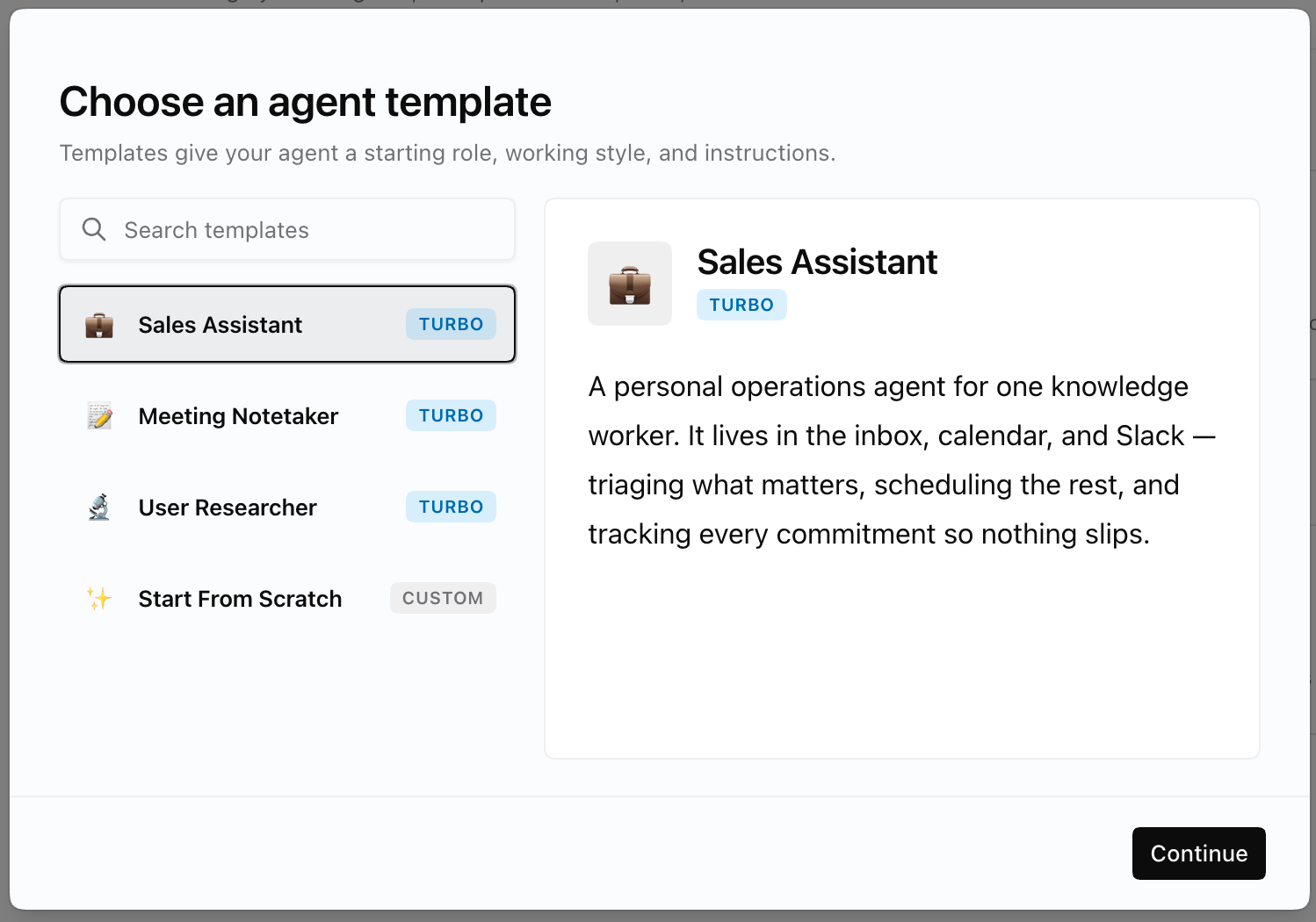
Agent templates: The best agents aren't generalists, they're specialists. An agent trying to do everything does nothing especially well, because it has no sense of what it's *for*. Agent Templates fix that with a job description: pick the role and your agent starts with a focused mandate baked in — your BDR agent lives and breathes prospecting, your account-management agent owns renewals and relationships. And it's not decoration, it's instruction: that job description rides along with *every* conversation you have with the agent, quietly keeping it on-task instead of drifting toward whatever you asked last. Pick the role at Agent creation and it sticks all the way through approval. Admins see exactly which role each request is for, right in the queue
Workspace Instructions
Write the context every agent in your workspace should always know — company background, buyer personas, the metrics you care about. Admins and Owners can update it from chat or from the UI.
With these two updates, every Agent you onboard is better equipped to take work off your plate from day one.
Also Shipped
• Collaborative page editing — When more than one person has the same Page open, edits sync automatically: no refresh, no lock. Remote changes merge into your editor live and flash blue so you can see what changed. If you both edit the same spot, your local changes are preserved and theirs merge in around them; tables, images, and page attributes all sync too.
• "Is empty" / "is not empty" filters — Boolean, Picklist, and Combobox properties can now filter for never-populated records in tables and pipeline boards — great for finding not-yet-enriched contacts.
• Imported contacts link to companies — CSV-imported contacts now auto-link to their organization by email even when their record isn't keyed by an email address.
Know someone else who should check out Day AI? Shoot them this link: https://day.ai/demo
