
Skill Library & Admin Controls
Day AI's Skill Library is open for business — and it puts admins in the driver's seat.
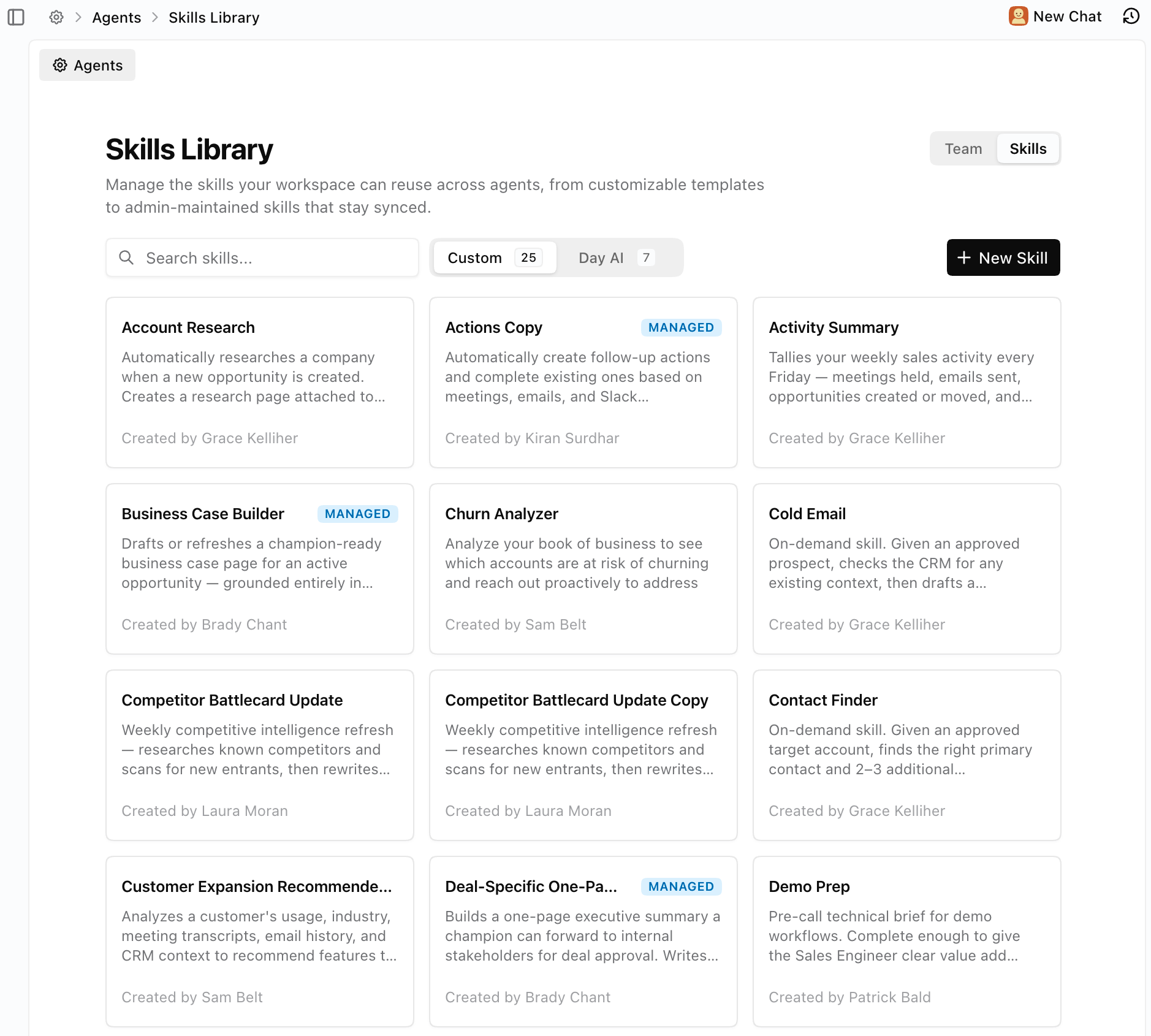
Skills like Opportunity Automation and Actions are no longer auto-provisioned onto every agent. They live in a central library where admins and reps can browse, add, and configure them intentionally. Day AI ships default skill templates that are non-editable in the library — but the moment you add one to an agent, it becomes a fully customizable, editable skill.
The bigger unlock: Managed Skills. Admins can now create a skill, lock down the logic, and deploy it across every agent in the workspace. Reps get the behavior; they don't get the edit button. When the admin updates the source, every managed copy updates with it.
What it changes:
For admins. Define how opportunity creation, stage movement, or action generation works — once — and enforce it across the team. No more discovering a rep rewrote your pipeline logic.
For reps. Skills just show up on your agent, already configured. You don't have to set anything up. You can still add your own skills from the library or build custom ones alongside the managed ones.
For agents. Cleaner separation between workspace-level automation (managed by admins) and personal automation (owned by the rep). Less conflict, more predictable behavior.
Also new: an Automated Skill Slot UI that shows exactly how many automated skill slots each agent tier gets — so teams can plan their automation budget before they hit a wall.
Merge Duplicate Records
Duplicate contacts are the slow poison of a CRM. Now you can kill them from chat.
Tell your agent "Merge jane@acme.com and jane@acme.co" and Day pulls every field from both records side by side — name, title, company, custom fields, picklists, everything. Pick which value wins per row, or use one button to take all of side A or side B. One confirm and the merge runs in the background. All history, notes, emails, and relationships from the losing record fold onto the winner. No data thrown away.
Org merging is live too — same flow, same chat interface, ungated for every workspace.
Also shipped
Last Contacted At: We added a new standard property for Last Contacted At to Organizations, People and Opportunities that is deterministically populated from Email, Slack, and Recordings – leaving no room for Agent (mis)interpretation.
Email Attachments: Finally you can add attachments to the emails you write and send from Day AI, the same way you would in Gmail.
Kondo Connector: For teams using Kondo to manage their LinkedIn inbox, you can now add Kondo as a Connector and use it to have your Agent draft messages, or pull LinkedIn message data into Day AI
Agent-over-email improvements: the agent works in the background and sends one clean summary instead of a stream of intermediate thinking messages.
More automated skills! Every Agent tier just got additional slots to run Skills on a schedule or trigger. Now Turbo Agents have 2, Professional Agents have 5 and Executive Agents have 10 automated Skills. All tiers continue to enjoy unlimited manual Skills run via slash commands in Chat.
